Agent Memory API
HTTP integration guide. Requests and responses use Library, Scope, Topic, and Atom. Atom JSON field `libraryKey` (write requests still accept legacy `persona`). Pass `memoryLibraryId` to select a library. Base path: /api/v1/memory.
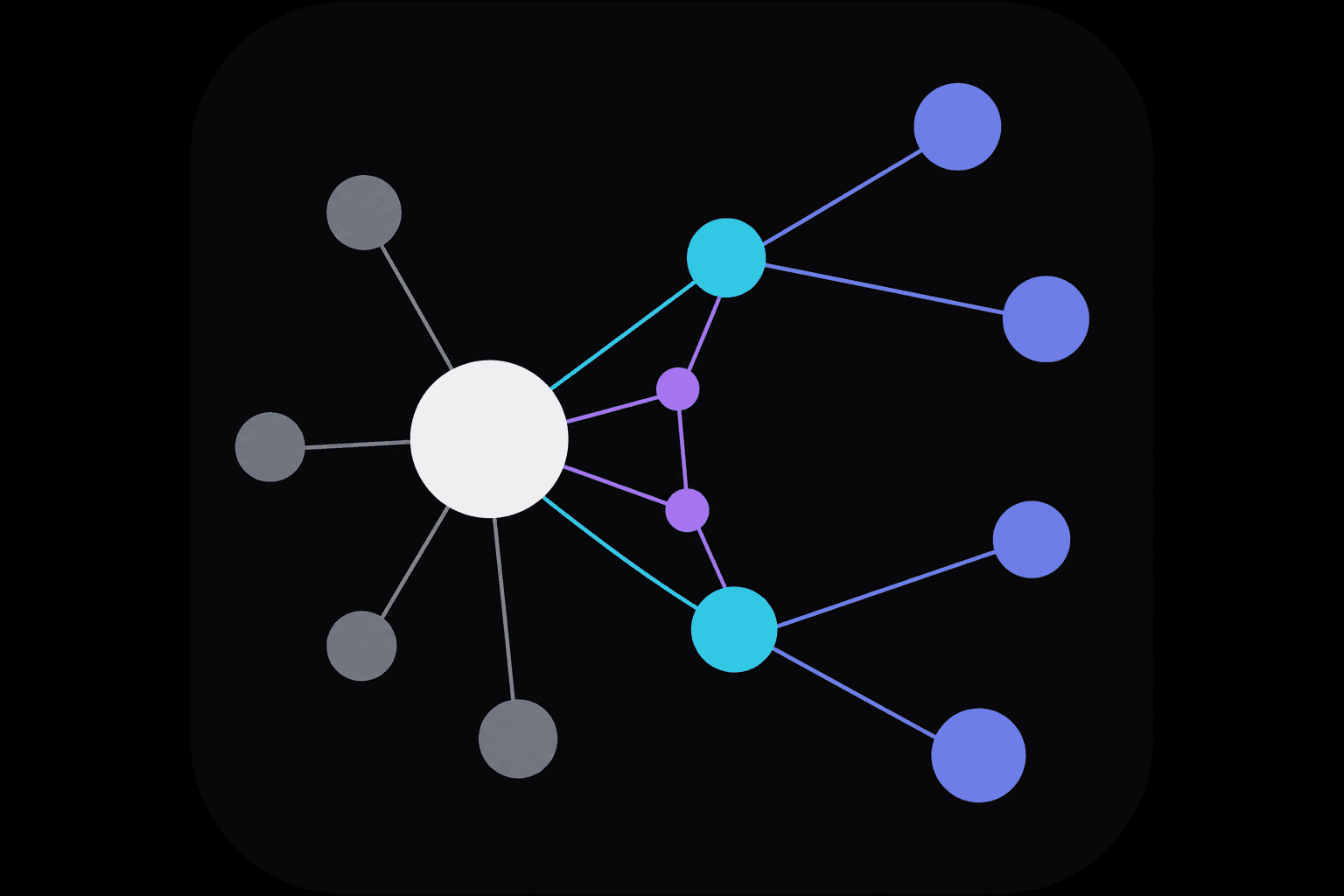
Hierarchy
Understand the four layers before you integrate:
- Library
- Isolated memory workspace; select via memoryLibraryId; engine binds libraryKey (library-{uuid})
- Scope
- Broad domain, e.g. engineering, finance
- Topic
- Subject within the scope, e.g. billing, api-auth
- Atom
- One retrievable memory unit (body + optional attachment)
Memory stack (retrieval modes)
- POST /quick-search — quick answer (small k + query-aligned excerpts)
- POST /retrieve — combined L2+L3 (one request; shared semantic engine today)
- POST /search — L3 deep semantic search
- POST /recall — L2 recall (optional scope / topic / libraryKey filters)
- POST /wake-up — L0+L1 session wake-up context
Integration versions v1.6.0
- REST API
- v1.6.0
- MCP
- v1.9.0
- Agent Skill
- v1.9.0
- Memory engine
- v0.5.0
Version endpoint: GET /api/v1/memory/version
Response headers: X-Engra-Memory-Api-Version, X-Engra-Memory-Engine-Version
Authentication
Header Authorization: Bearer <API_KEY> with memory:read or memory:write scope.
/api/v1/memory
Endpoints
| Method | Path | Scope | Description |
|---|---|---|---|
| POST | /api/v1/memory/atoms | memory:write | Create Atom (JSON / multipart / directUpload) |
| POST | /api/v1/memory/atoms/upload-url | memory:write | Presigned PUT for direct R2 upload |
| GET | /api/v1/memory/source-files/{id}/open | memory:read | Open attachment (302 presigned GET) |
| GET | /api/v1/memory/atoms | memory:read | List Atoms (openUrl is auth-gated) |
| DELETE | /api/v1/memory/atoms/{atomId} | memory:write | Delete one Atom |
| PATCH | /api/v1/memory/atoms/{atomId} | memory:write | Correct an Atom (versioned; archives prior revision) |
| POST | /api/v1/memory/quick-search | memory:read | Quick answer (answer + snippets) |
| POST | /api/v1/memory/retrieve | memory:read | Combined L2+L3 retrieve (one request) |
| POST | /api/v1/memory/search | memory:read | L3 search |
| POST | /api/v1/memory/recall | memory:read | L2 recall |
| POST | /api/v1/memory/wake-up | memory:read | Wake-up stack |
| GET | /api/v1/memory/version | — | Integration versions (api / mcp / skill / engine, no auth) |
Create Atom (JSON)
POST /api/v1/memory/atoms
Content-Type: application/json

{
  "scope": "engineering",
  "topic": "billing",
  "document": "Customers are invoiced on the 25th."
}

// 201 response (one or many nodes)
{
  "atom": { "id": "…", "scope": "…", "topic": "…", "libraryKey": "…", "document": "…", "metadata": {}, "createdAt": "…" },
  "atoms": [ "…all persisted atoms; may be >1 when verbatim splits memoryNodes" ]
}
multipart/form-data (legacy): field "atom" is a JSON string; "file" is optional. Prefer direct upload below for large files.
Recommended direct upload:

1) POST /api/v1/memory/atoms/upload-url
   { memoryLibraryId, filename, mime, sizeBytes, contentHash, uploadId }

2) PUT <presigned url>  (browser → r2.cloudflarestorage.com)

3) POST /api/v1/memory/atoms
   { scope, topic, document, memoryLibraryId,
     directUpload: { uploadId, key, filename, mime, sizeBytes, contentHash } }
Private R2 storage
Attachments are not anonymously public. openUrl in list responses points to GET /source-files/{id}/open (memory:read); on success you get a 302 to a short-lived presigned URL. Disable public access on the R2 bucket in production.
Async write / correct (202)
When the platform ingest queue is enabled, POST /atoms and PATCH /atoms/{atomId} return 202 Accepted by default (verbatim, correction, and indexing run in the background). Use ?sync=1 for an immediate 201/200 with persisted or corrected atoms; ?async=0 disables async. MCP memory_save_atom and memory_correct_atom match REST defaults (MCP 1.4.0+). Job status is available via dashboard Admin APIs only; integrators may poll GET /atoms after a delay.
// 202 response (queue enabled, POST or PATCH)
{
  "async": true,
  "queue": { "driver": "cloudflare", "maxConcurrent": 2 },
  "job": {
    "id": "…",
    "status": "queued",
    "generateMemoryNodes": true,
    "scope": "engineering",
    "topic": "billing"
  }
}

// PATCH async extras
{
  "async": true,
  "operation": "correct",
  "atomId": "…",
  "job": { "id": "…", "status": "queued", … }
}

// Sync success: POST remains 201 (atom/atoms); PATCH remains 200 (corrected + atom)
Async writes and visibility
Default async mode lets integrators and IDE agents ack quickly after submitting text, without waiting for verbatim splitting, R2 persist, and vector indexing.
- Typical latency: plain-text POST/PATCH enqueue usually returns 202 in under a second; the full pipeline often finishes within seconds to tens of seconds (document size, generateMemoryNodes, queue load).
- When search works: POST /search and POST /recall reliably hit new content only after the job completes and vectors are indexed; the 202 body does not include atom.id.
- How to confirm: poll GET /atoms by scope/topic or keywords; or sign in and check ingest jobs in the console (/dashboard/memory → Jobs, Admin API GET /api/admin/memory/jobs/[jobId]).
- API-key integrators cannot poll job status via public REST today; use REST ?sync=1 when you need atom.id or inline errors (MCP write tools have no sync flag — call REST instead).
- Failures: a failed background job still returned 202; detect via console Jobs or missing rows on GET /atoms. Sync (?sync=1) returns 4xx/5xx in the same request.
- When to use which: IDE / agent session saves → default async; automation needing atom.id or strong consistency → REST ?sync=1.
List Atoms
GET /api/v1/memory/atoms?offset=0&limit=50&libraryKey=<optional>&memoryLibraryId=<library-id> (legacy query persona still accepted)
Delete one Atom
DELETE /api/v1/memory/atoms/{atomId}?memoryLibraryId=<library-id>

// 200 response
{ "ok": true, "atomId": "…" }
Correct Atom (versioned)
PATCH /api/v1/memory/atoms/{atomId}?memoryLibraryId=<library-id>
Content-Type: application/json

{
  "document": "full corrected body",
  "expectedVersion": 2,
  "scope": "engineering",
  "topic": "billing"
}

// 200 response (?sync=1 or ?async=0)
{
  "corrected": true,
  "atom": {
    "id": "…",
    "version": 3,
    "scope": "engineering",
    "topic": "billing",
    "document": "…",
    "metadata": { "version": 3 }
  }
}

// 202 response (default async — see asyncWriteJson above)

// 409 version_conflict — re-fetch latest version from list/search and retry
Search example
Cross-library semantics (search / recall / quick-search / retrieve):
- memoryLibraryId (or Label): primary library (required)
- Omit memoryLibraryIds / Labels → primary Cross-library Search Defaults (when enabled)
- memoryLibraryIds: [] → primary only (also disables shared-common auto-merge)
- Non-empty memoryLibraryIds / Labels → primary + listed (include Common Knowledge explicitly if wanted)
- allAccessible: true → every library the API key can list (mutually exclusive with Ids/Labels; 400 if both)
Each hit may include memoryLibraryId / memoryLibraryName / source (team | platform_shared).
Response may include searchedLibraryIds, crossLibraryIncluded.

POST /api/v1/memory/quick-search
{ "query": "When is billing day?", "k": 3, "memoryLibraryId": "<library-id>" }

// 200 response
{
  "query": "When is billing day?",
  "answer": "Customers are invoiced on the 25th.",
  "snippets": [
    { "id": "…", "path": "engineering / billing", "excerpt": "Customers are invoiced on the 25th.", "similarity": 0.91 }
  ]
}

POST /api/v1/memory/search
{ "query": "billing rules", "k": 8, "scope": "engineering", "topic": "billing", "memoryLibraryId": "<library-id>" }

POST /api/v1/memory/retrieve
{
  "query": "billing rules",
  "memoryLibraryId": "<primary-library-id>",
  "allAccessible": true,
  "layers": ["recall", "search"],
  "k": 8
}
// 200: recall / search each contain hits (L2/L3 share the semantic engine today; one ANN pass)
MCP integration
MCP clients (Cursor, Claude Desktop, etc.) should use the edge endpoint https://mcp.engra.ai/api/v1/memory/mcp (legacy https://engra.ai/api/v1/memory/mcp still works). In mcp.json, set Authorization plus Accept: application/json, text/event-stream and Content-Type: application/json (missing Accept often returns HTTP 406). Call memory_list_libraries first, then retrieval or write tools. Team-library retrieval merges Common Knowledge by default (configurable).
https://mcp.engra.ai/api/v1/memory/mcp
Legacy: https://engra.ai/api/v1/memory/mcp
→ Full Agent Memory MCP guide · → Common Knowledge shared library
Out of scope (console)
The features below are not available with API keys. Sign in and use the dashboard (backed by /api/admin/memory/* + Session):
Engine implementation details are in packages/agent-memory/docs/技术说明.md and docs/agent-memory-技术说明.md.
Published benchmark results (ENGRA-KB-v1 + MTEB) · → Console · Memory console · Product overview